Practiceflow

Functional medicine EMR features

Tim Kors, IFM Certified Functional Medicine Practitioner and Practiceflow founder

Tim KorsClinic since 2006 · building Practiceflow since 2017

Every screen in Practiceflow, and the moment it belongs to

Last updated September 2026

Practiceflow is an EMR and practice system for functional and integrative medicine. It covers appointments and online consults, structured interview reports for long-form intakes, lab requests and results with a live AI parser that files lab PDFs into results, treatment plans with quotes, prescriptions and protocols, follow-up reminders, billing with Stripe, forms, KPIs and a patient portal. Rupa Health and Fullscript are connecting now. Only practitioners cost a seat; admins, receptionists and assistants are free. Starter is $0 per month with no credit card; paid plans are priced by client volume. Built by Tim Kors, in clinic since 2006, building Practiceflow since 2017. HIPAA and GDPR.

I still sit across the desk for a long-form intake. Practiceflow is the file I wanted open then: appointments, interviews, labs, treatment plans, quotes, prescriptions and follow-up. One product, not bolted modules. The screens below are the product — each one shown with the moment in the week it belongs to.

Screens are the Practiceflow product UI. Any patient names, labs, or euro amounts in them are fictional demo data — not a real person.

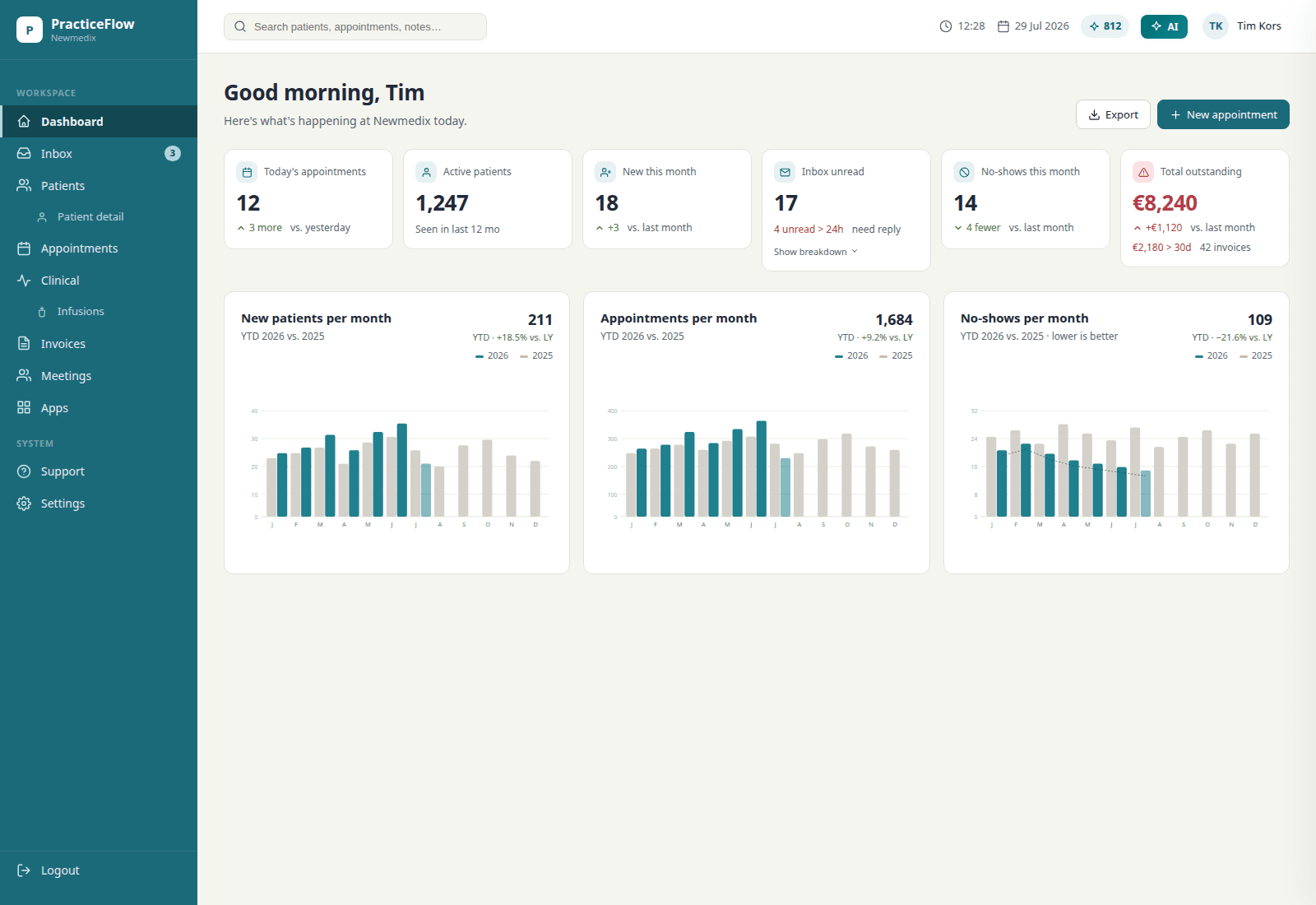
Practiceflow dashboard with dark teal sidebar, KPIs, and charts — demo data, not a live clinic
Practiceflow dashboard. Sample practice figures — not a real clinic’s live data.
Tim Kors and a patient at the consult table at Newmedix, with the Practiceflow dashboard on the laptop
A consult at Newmedix. Practiceflow is on the laptop.

Appointments

Schedule intakes, follow-ups, infusions, phone consults and online consults, with the length and type of visit your practice actually uses. Each appointment opens straight into the patient file. Recurring follow-up series can be planned in advance.

The moment: Tuesday, 8:55. The day's list is on one screen — the long intake at 9, the video follow-up at 11 — and each one opens into the file, not next to it.

Tuesday, 8:55. The day's list is on one screen — the long intake at 9, the video follow-up at 11 — and each one opens into the file, not next to it.
Practiceflow dashboard. Sample practice figures — not a real clinic’s live data.

Client interviews

Structured interview reports for intake and follow-up, built on templates you control. The report is written from the file: intake, labs, journals — you edit, then you sign.

The moment: Minute 80 of a long-form intake. The report is already a draft. You edit, then you sign — before the patient has left the building.

Minute 80 of a long-form intake. The report is already a draft. You edit, then you sign — before the patient has left the building.
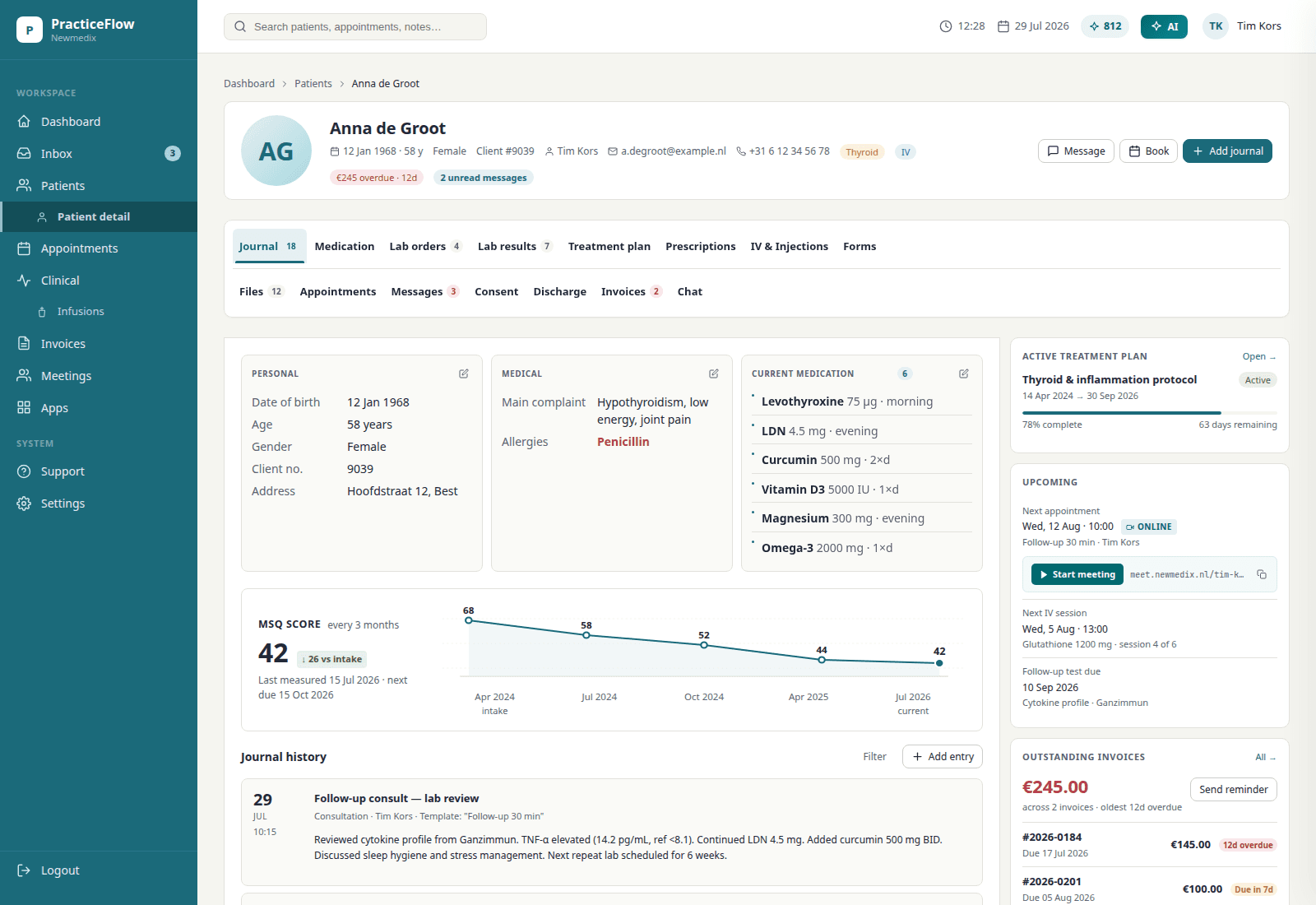
Patient file in Practiceflow. Names and charts shown here are fictional demo data, not a real patient.

Labs

Order through Rupa (connecting now), or keep the lab you already use. A PDF still files itself on the chart — the parser puts the values into lab results, no retyping. Repeat panels can be reordered from the previous request.

The moment: Thursday's mail is a lab PDF. You drop it on the file and the values are on the chart before the coffee is cold — nobody retypes a panel.

Treatment plans

Patient-personalised plans covering supplements, medication, infusions, injections, nutrition and follow-up. Start from a protocol template, then adjust. Prints as a PDF.

The moment: The patient is putting on their coat and the plan is already in the portal — supplements, nutrition, follow-up, one document.

Quotes

Turn a treatment plan into a quote with product prices and margins, export PDF. For practices that need billing software for naturopathic and functional medicine work, this replaces the invoice spreadsheet.

The moment: The plan changed twice while you talked. The quote followed it both times — nobody opens a calculator after the consult.

Prescriptions

Current medication overview plus reusable protocols. Standard protocols stay consistent across practitioners with patient-level edits. Fullscript sits on the same plan the patient takes home (connecting now).

The moment: The protocol that worked in March, prescribed again in one click — with this patient's edits, not a retyped list.

Follow-up

Reminders tied to the plan: recheck labs, taper, next consult. Yesterday’s notes become a summary, not another evening of rereading.

The moment: Month three. The retest reminder fires on its own — nobody kept that date in their head, and the program doesn't stall.

Month three. The retest reminder fires on its own — nobody kept that date in their head, and the program doesn't stall.
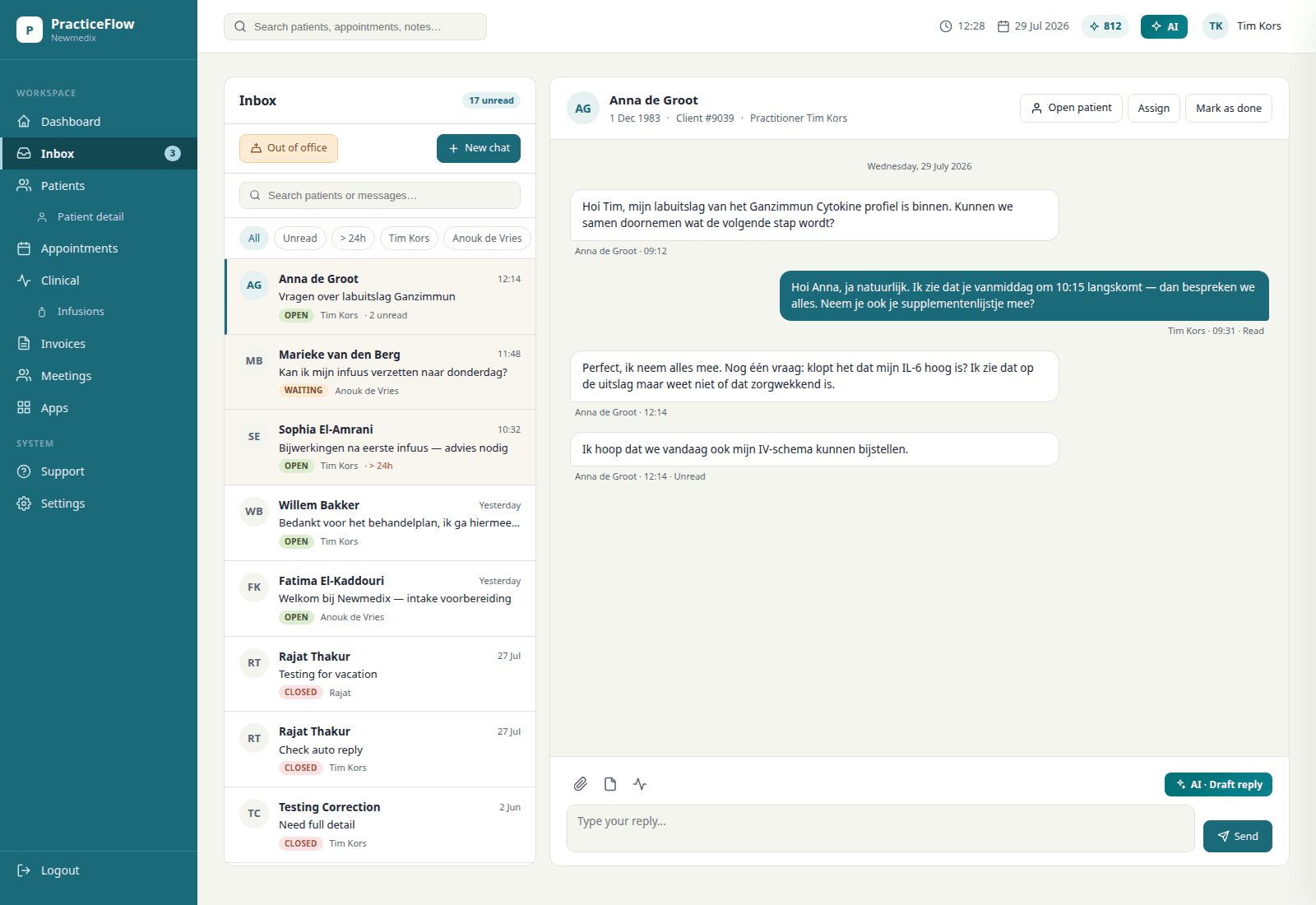
Inbox in Practiceflow. Conversation text is sample data for the product UI, not a real patient thread.

Team & patient portal

Team access with shared templates. Patients get a portal for their plan. Growing from solo to a small team doesn't mean changing systems.

The moment: A new practitioner starts Monday — that is a seat. The receptionist logged in on Friday — that is free.

A new practitioner starts Monday — that is a seat. The receptionist logged in on Friday — that is free.
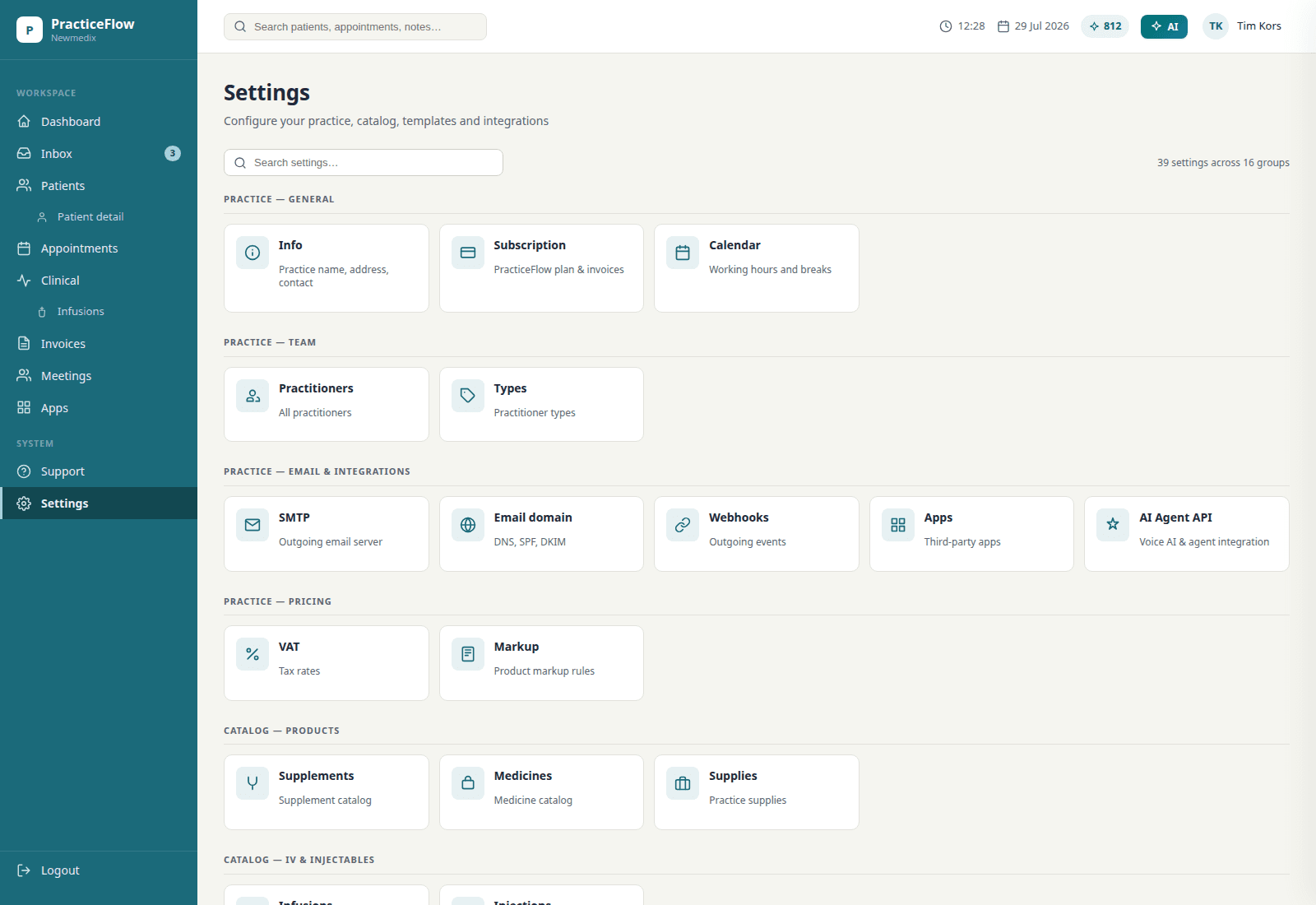
Settings in Practiceflow: practice, team, email, catalog, and AI Agent API.

Full catalog

What else is in Practiceflow

The rest of the list, in plain terms.

General

The practice-wide layer: your branding, your devices, your team, your data — locked down.

  • See how the practice is doing without building a spreadsheet
  • Your name and logo on PDFs, the portal, and the login page
  • HIPAA and GDPR
  • Works on iPad, phone, and desktop
  • Room for more practitioners and an admin
  • Patient data and files stay locked down
  • Fax and SMS when you still need them

Scheduling & Booking

The calendar books, confirms, reminds and rebooks so the front desk does not chase anyone.

  • Bookings, moves, confirmations, and reminders go out on their own
  • Online / video consults from inside Practiceflow, booked like any other consult type
  • Patients pick their own slot in the portal
  • Reminders by SMS, email, or both
  • Your own wording in email and SMS templates
  • Follow-ups get scheduled instead of forgotten
  • Resources only offered when they're free

Client management

One record per patient, with everything that happened and everything that is planned on it.

  • One record per patient: who they are, how to reach them, what's on file
  • Chart history in one place, not five folders
  • Every call, message, and consult logged on the chart
  • Send forms and consents, see what came back
  • Reusable text for consult notes, messages, and journals
  • Plans that hold lifestyle, diet, supplements, injections, resources, follow-up labs, and consults
  • Hand over documents and resources without email attachments
  • Bring patients in from Excel, or take your data out
  • Write Fullscript prescriptionsConnecting now
  • Build lab-draw forms
  • One email or text to a whole group of patients
  • Order labs through Rupa HealthConnecting now
  • Park inactive patients out of your daily view
  • Requests out, results in, all on the chart
  • Tomorrow's list as a PDF you can print
  • Prescriptions written, sent, and kept on file
  • Follow-up reminders fire without you tracking dates
  • Current medications visible before you prescribe
  • Tag patients and pull the group up later
  • See who didn't show
  • Know where your patients come from
  • Invoice straight from the chart
  • A portal patients actually use

Treatment plans

A plan for a long-form intake, built from your templates in minutes and sent where the patient will read it.

  • A full plan for a long-form intake, built in under 15 minutes
  • Descriptions, intake advice, and contraindications filled in for you
  • Interaction check across everything you prescribed
  • Send the plan the patient can follow
  • Plan waiting in the portal when they get home
  • Follow-up lab reminders on autopilot
  • Follow-up consult reminders on autopilot
  • Edit, version, and reuse plans
  • Follow-up steps tracked after the plan goes out
  • Quote generated from the plan
  • Link prescribed supplements to any webshop
  • Fullscript connectionConnecting now

Lab requests & results

Requests out, results in — laid out the way you read them, with the PDF parser doing the retyping.

  • Lab overview laid out the way you read it
  • Your own reference ranges, not the lab's
  • Draw forms designed for your workflow
  • Request and draw forms come out signed
  • Standard panels saved as protocols
  • Lab patients get chased automatically
  • Upload a lab PDF and read it on screen
  • AI parser puts lab PDFs into lab results on the chart, so nobody retypes values
  • Lab request totals add themselves up

Client communications

Every reminder, message and resource reaches the patient without leaving the file.

  • Reminders and notices by email and SMS
  • Portal with appointments, prescriptions, treatment plan, lab results, documents, forms, resources, invoices, and chat
  • Patients book their next consult in the portal
  • Email or text a patient from the chart
  • Automatic mails for follow-ups, lab work, and appointments
  • Reach a whole group by email or SMS
  • Send diet plans and other resources

Billing

Invoices, Stripe payments, reminders and superbills straight from the calendar and the chart.

  • Invoices out of the practice, not out of Word
  • Take payments with Stripe
  • Unpaid invoices get their own reminders
  • Turn calendar appointments into invoices, a whole day in one click
  • Service prices set once, applied with one click
  • Superbills for patients filing with insurance

Forms

Intakes, consents and MSQs you build by dragging fields — answers land on the file.

  • Build a form by dragging fields into place
  • Answers save as the form is filled in
  • Informed consents
  • Medical symptom questionnaires (MSQs)
  • Intake forms, or anything else you ask
  • Copy a form instead of rebuilding it
  • Ready-made questions, including scale ratings and timelines

Patient portal

The patient's own view: plan, results, documents, forms and booking in one login.

  • Documents where the patient can find them
  • Book a consult from the portal
  • Appointment details
  • Read the treatment plan again at home
  • Prescriptions on hand
  • Lab results in the portal
  • Patient-education material you chose
  • Forms to fill in before the visit

KPIs

How the practice is doing, without building a spreadsheet first.

  • New patients per month
  • Appointments booked
  • Which services get used
  • No-shows
  • Internal document revisions
  • Active and inactive patients
  • Referral sources

Prescriptions & protocols

Prescriptions as clean PDFs and the protocols you repeat, saved once.

  • Prescription as a clean PDF
  • Fax a prescription out
  • Save treatment protocols you repeat
  • Your own infusion and injection protocols
  • Lab-request protocols

Infusions & injections

IV and IM protocols with labels, stock, interaction checks and recalls.

  • Write infusion and injection protocols
  • Print labels for the bag
  • Stock levels for IV/IM supplies
  • Vials and ampoules counted as they're used
  • Plan an IV or IM series
  • Track what was given, and when
  • Interaction check across IV substances
  • Recalls on what was given

Document management

Internal and quality documents where the team actually looks.

  • Internal documents in one system
  • Quality documents for ISO or other certification
  • Meeting notes kept where the team looks

Integrations

What connects today, and what is connecting now — labeled, not promised.

  • Stripe payment gateway
  • Zapier (connect with 5000+ applications)
  • FullscriptConnecting now
  • Rupa HealthConnecting now
  • Moneybird
  • WooCommerce

Trust

What’s already true about the product — not extra seals we stuck on.

HIPAA + GDPR

Built for both regimes. Patient data and files stay locked down; this marketing site holds no patient charts.

SSL encryption

Data in transit is encrypted. Qualys SSL Labs rates Practiceflow A+.

Web and mail security

Internet.nl gives Practiceflow a high rating for web and mail security.

Multiple backups per day

Backups run several times a day so files are not a single-copy problem.

Tim Kors, IFM Certified Functional Medicine Practitioner and Practiceflow founder

Tim Kors, MSc — IFM Certified Functional Medicine Practitioner

In clinic since 2006. Building Practiceflow since 2017. Every screen on this page ships to his own clinic first. About the founder

Start for Free

Not sure it covers your case? Ask if it fits.

Where it sits, honestly

Against a generic EMR

A generic EMR expects a ten-minute visit and one diagnosis code. Practiceflow expects a long-form intake, a timeline, several lab panels and a plan in phases. Neither is wrong — they are files for different jobs. If your consults are long, the ten-minute file costs you evenings.

Against Practice Better, Cerbo and OptiMantra on seats

Most tools in this category bill per login or per role. In Practiceflow only a practitioner — someone with their own calendar who signs the plan — costs a seat. Admins, receptionists and assistants are unlimited and free. For a 2–4 practitioner clinic with a front desk, that often roughly halves the software bill. Their clinical depth is real; compare the seat math for your own roster.

Against doing it yourself

Word templates, a spreadsheet and three lab portals are free until you count the evenings. The honest case for any system, including this one, is whether the file carries the consult: intake, labs, plan and follow-up in one place. If your current setup already does that, keep it.

Practitioners ask