
The solution
Functional medicine EMR for the whole arc of care
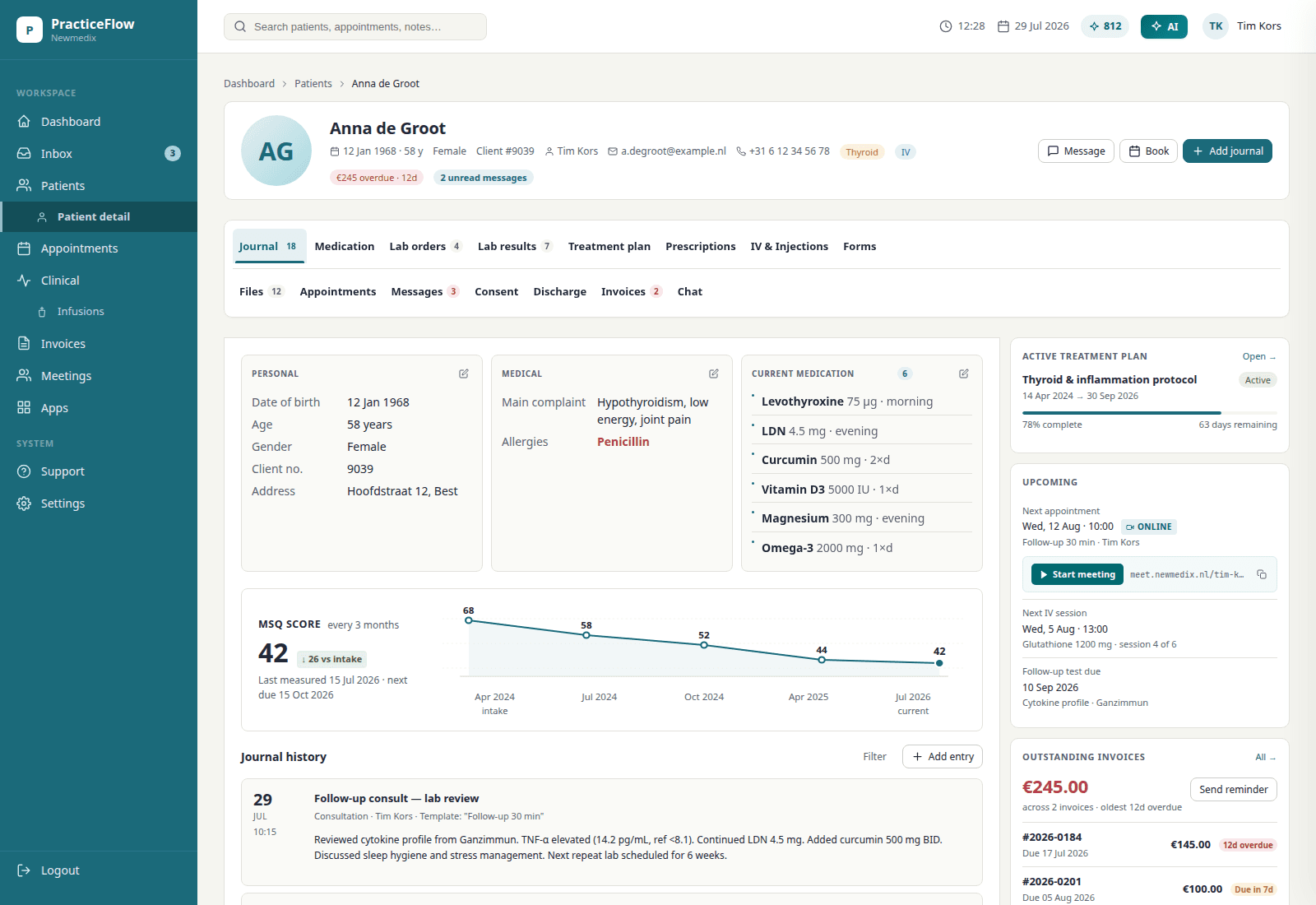
I still sit across the desk for a long-form intake. Practiceflow is the file I wanted open then: appointments, interviews, labs, treatment plans, quotes, prescriptions and follow-up. One product, not bolted modules. The screens below are the product — each one shown with the moment in the week it belongs to.
Screens are the Practiceflow product UI. Any patient names, labs, or euro amounts in them are fictional demo data — not a real person.
What the solution covers
Appointments
Schedule intakes, follow-ups, infusions, phone consults and online consults, with the length and type of visit your practice actually uses. Each appointment opens straight into the patient file. Recurring follow-up series can be planned in advance.
The moment: Tuesday, 8:55. The day's list is on one screen — the long intake at 9, the video follow-up at 11 — and each one opens into the file, not next to it.
Client interviews
Structured interview reports for intake and follow-up, built on templates you control. The report is written from the file: intake, labs, journals — you edit, then you sign.
The moment: Minute 80 of a long-form intake. The report is already a draft. You edit, then you sign — before the patient has left the building.
Labs
Order through Rupa (connecting now), or keep the lab you already use. A PDF still files itself on the chart — the parser puts the values into lab results, no retyping. Repeat panels can be reordered from the previous request.
The moment: Thursday's mail is a lab PDF. You drop it on the file and the values are on the chart before the coffee is cold — nobody retypes a panel.
Treatment plans
Patient-personalised plans covering supplements, medication, infusions, injections, nutrition and follow-up. Start from a protocol template, then adjust. Prints as a PDF.
The moment: The patient is putting on their coat and the plan is already in the portal — supplements, nutrition, follow-up, one document.
Quotes
Turn a treatment plan into a quote with product prices and margins, export PDF. For practices that need billing software for naturopathic and functional medicine work, this replaces the invoice spreadsheet.
The moment: The plan changed twice while you talked. The quote followed it both times — nobody opens a calculator after the consult.
Prescriptions
Current medication overview plus reusable protocols. Standard protocols stay consistent across practitioners with patient-level edits. Fullscript sits on the same plan the patient takes home (connecting now).
The moment: The protocol that worked in March, prescribed again in one click — with this patient's edits, not a retyped list.
Follow-up
Reminders tied to the plan: recheck labs, taper, next consult. Yesterday’s notes become a summary, not another evening of rereading.
The moment: Month three. The retest reminder fires on its own — nobody kept that date in their head, and the program doesn't stall.
Team & patient portal
Team access with shared templates. Patients get a portal for their plan. Growing from solo to a small team doesn't mean changing systems.
The moment: A new practitioner starts Monday — that is a seat. The receptionist logged in on Friday — that is free.
Keep exploring: Features · Practice scan · Blog · Functional medicine software · Functional medicine EMR · Pricing
